NEW CITI USERS
1. To create an account in the Collaborative Institutional Training Initiative (CITI) Program, on the citiprogram.org home page, click on the Register button in the upper right.

2. Then click “Select Your Organization Affiliation.”
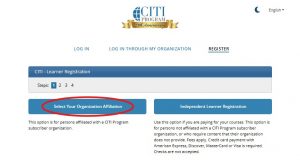
3. Enter “University of Connecticut Health Center” in the search box.
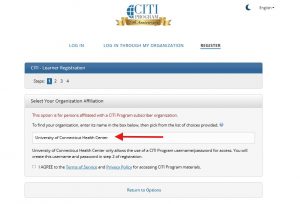
4. Follow the prompts to create a new account.
NEW AND RETURNING CITI USERS
1. Once you are logged in to citiprogram.org under your “University of Connecticut Health Center” affiliation, select “add a course” at the bottom of the screen.
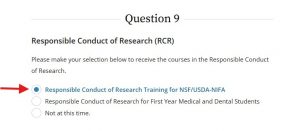
2. Scroll down to Question 9 on the course selection page and select the option titled “Responsible Conduct of Research Training for NSF/USDA NIFA.”
3. Then click the blue “Submit” button at the bottom of the page.
4. The next page that appears should have a message in green at the top that says: “You are now enrolled in the course(s) you selected.”
5. Scroll down the page to click the blue “start now” button next to the RCR course.
6. Complete the attestation page and click “Submit.”
7. On the next page, you will see the course curriculum and the 10 required modules to fulfill the RCR training requirement.
8. Click the blue “Start” button, to begin the first module.
The modules listed below the 10 required modules (marked “Supplemental”) are optional and available to you to complete at any time.
A copy of your Completion Report will be accessible to you and the RCR Education Office at any time from the CITI Program.
For questions, please contact the RCR Education Office, rcr@uconn.edu.